
This article describes a step-by-step guide to creating an account on One Stop Center.
Requirements
Creating an account requires the following:
A phone number or email address
Rwandan National ID
A valid consular card if you are a Rwandan living abroad
Note:
To verify your account, you can use
A phone number that corresponds to your Rwandan National ID or an email address that corresponds to your consular card
Dial *125# to check. If the numbers do not correspond, please visit the nearest MTN or Airtel Service Center for guidance.
Follow these simple steps to create an account:
Visit RDB Onestopcenter platform:onestopcentre.rdb.rw and click on Sign up
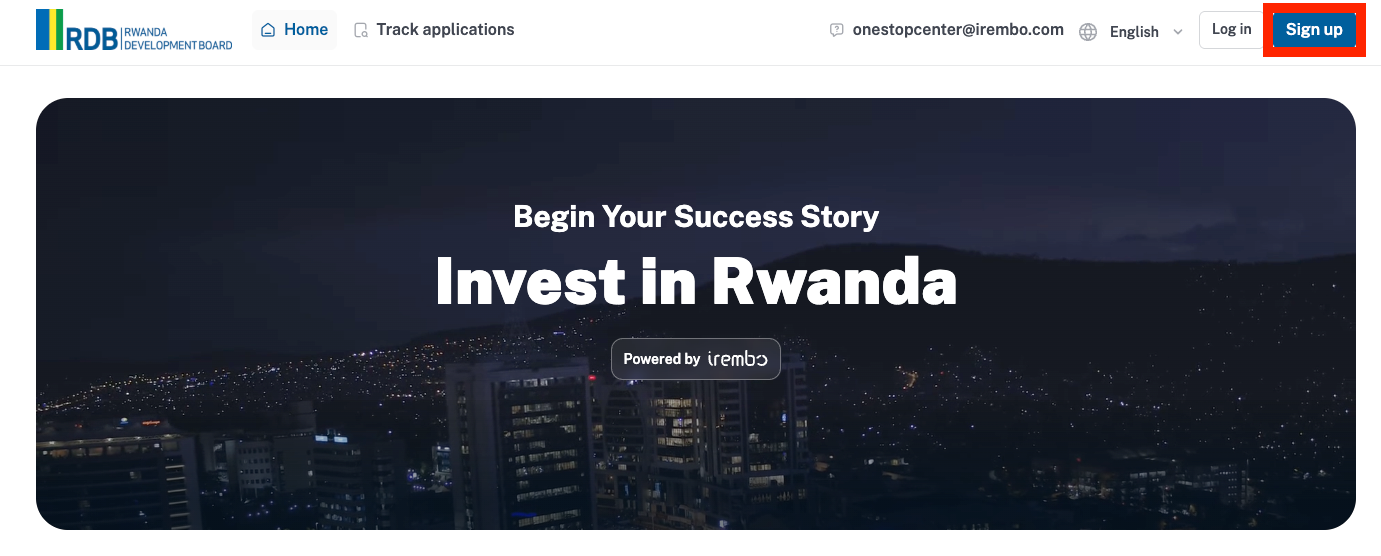
A new page is displayed. Follow a 2-step process to set up your account.
Submit Required Information: Enter your phone number or email address and password, confirm it, and then click on “ Create account.”
Note: A strong password should be at least 8 characters, must have at least 1 number, must have at least one capital letter, must have at least one lowercase letter, and must have a special character (.!*/-+)
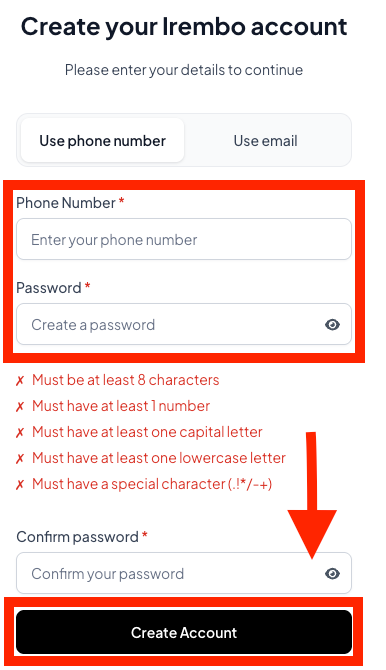
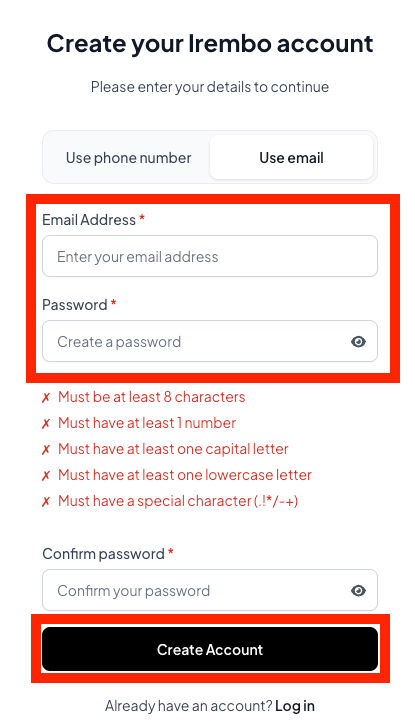
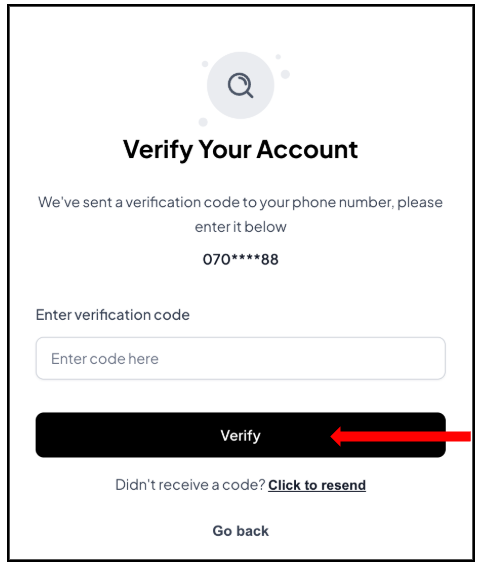
Account Verification: A verification code/One-Time Password (OTP) is sent to your phone number via SMS notification or Email. Enter the OTP and click on Verify.
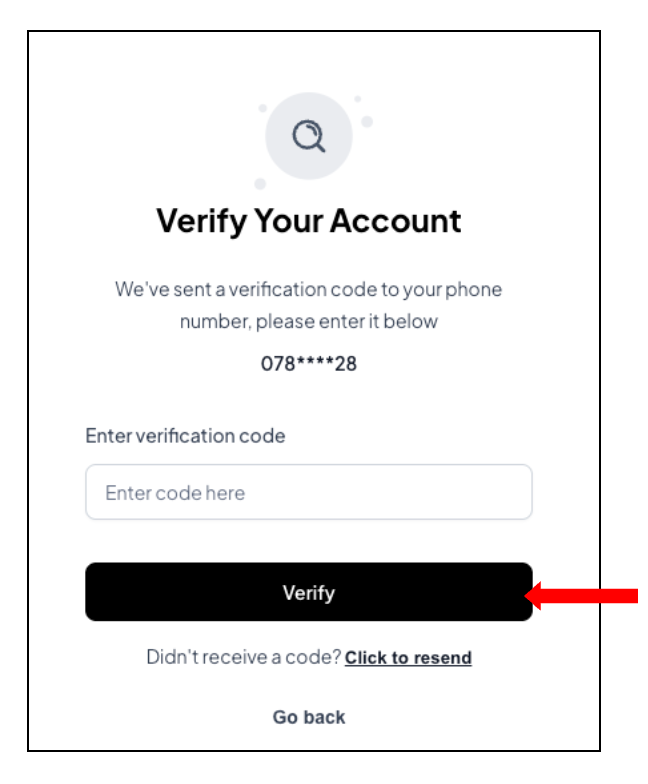
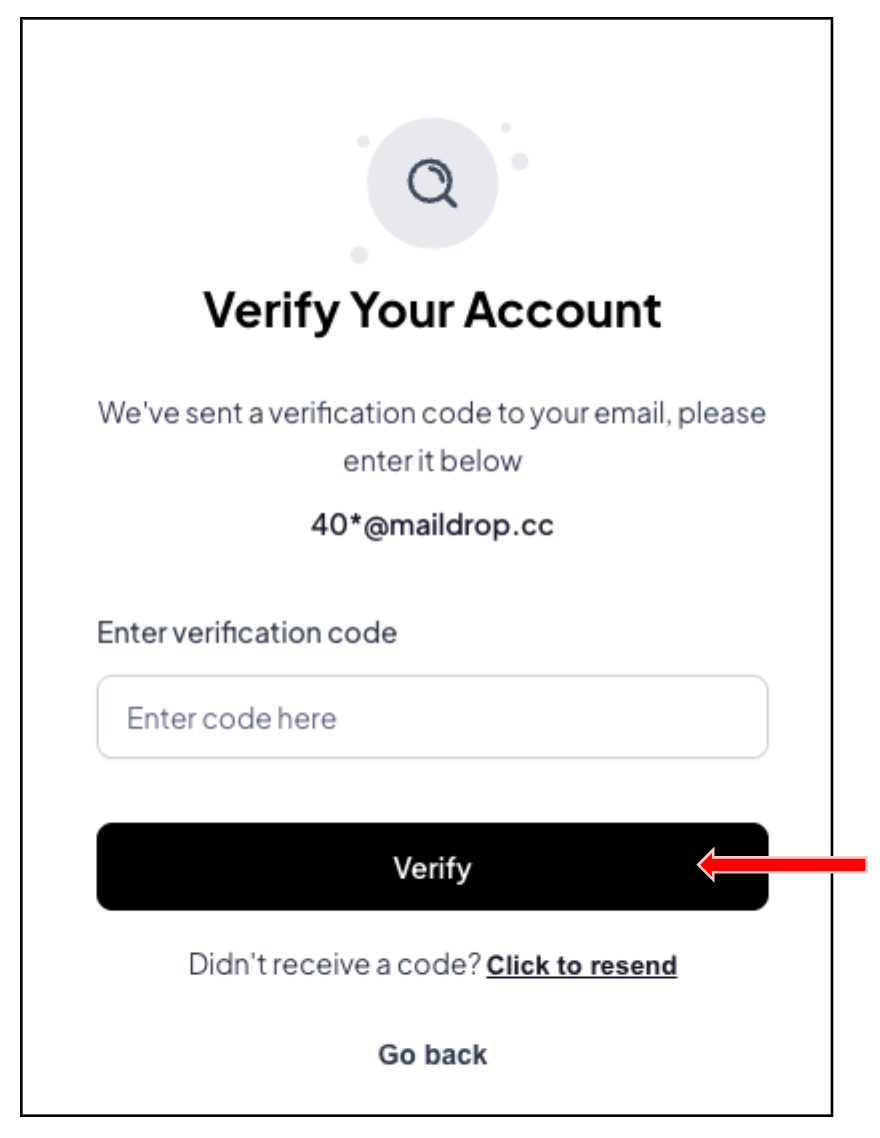
Now, you are good to go! You shall receive a notification from Irembo to confirm your account has been created.
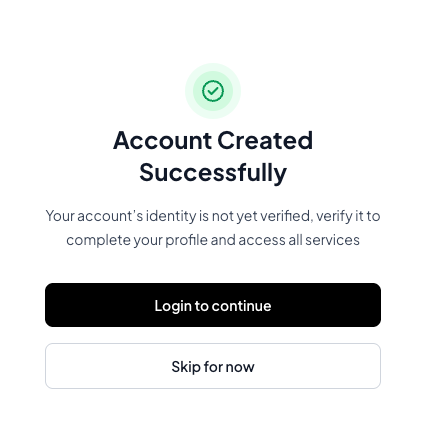
Continue to log in and verify your information
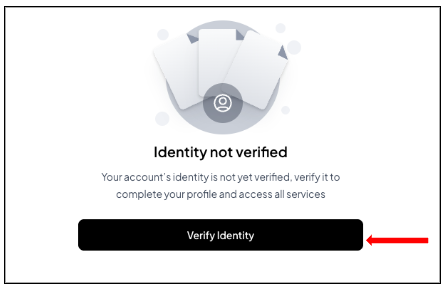
Click on my Identification and click Verify
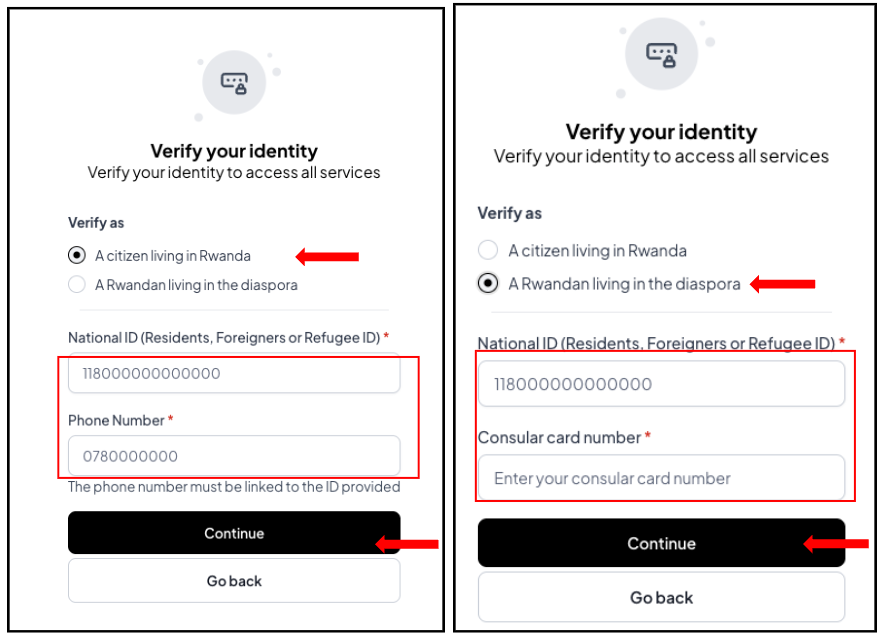
Choose to verify your account as a citizen living in Rwanda or a Rwandan living in the diaspora
- a citizen living in Rwanda (you will be required to use a Rwandan national ID and a phone number). Click on “continue” to proceed.
- If you are a Rwandan living in the diaspora, you will be required to use a Rwandan national ID and a consular card number. Click on “continue” to proceed.
One one-time password (OTP) will be sent to your phone number or email. Click verify.
Congratulations! You can now access and apply for all services.
Was this article helpful?
That’s Great!
Thank you for your feedback
Sorry! We couldn't be helpful
Thank you for your feedback
Feedback sent
We appreciate your effort and will try to fix the article